
Build repeatable workflows without starting from scratch
Plan an automation around its trigger, input and outcome, then test it before turning it into a routine.
 Raccog TeamWriter at Raccog4 min readUpdated 23 September 2026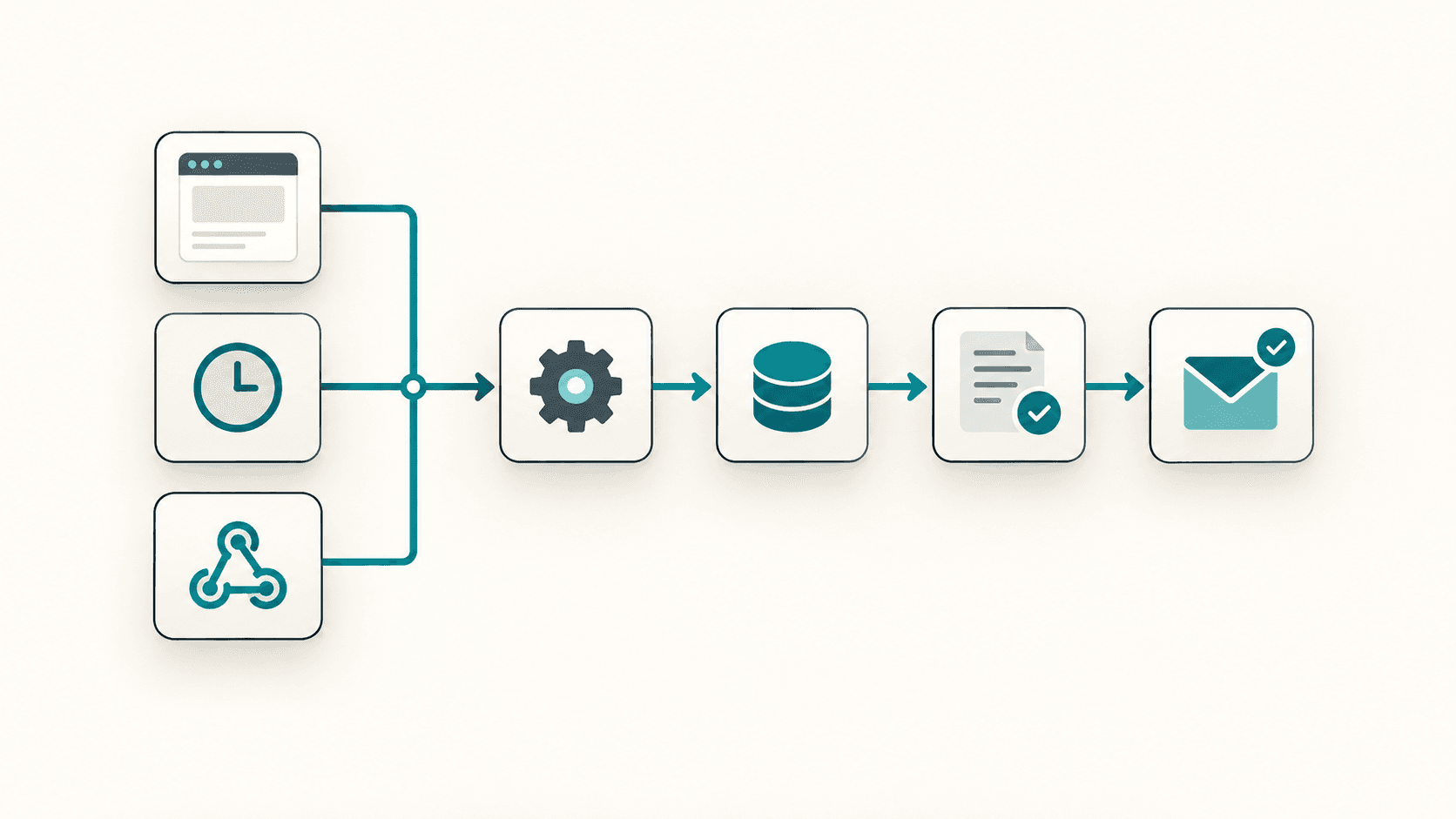
Many recurring tasks follow the same pattern: something happens, information arrives and a small sequence of actions follows. Raccog lets you describe that process as part of your project so workflow generation can provide a starting point.
The useful discipline is to decide three things before you write the prompt: what starts it, what it reads, and what it leaves behind.
Choose what starts the workflow
Raccog's workflow system supports requests from an app, scheduled runs and incoming webhooks. Choose based on when the work needs to happen.
| Trigger | Use it when | Example |
|---|---|---|
| App request | A person or page causes the work | A quote form submission |
| Schedule | The work happens on a clock, not an event | A digest at 8am each weekday |
| Webhook | Another service announces something | A payment provider confirms a charge |
A form submission belongs to an app-triggered workflow. A recurring digest fits a schedule. An event sent by another service can use a webhook, where that service supports sending one.
If a task could plausibly use two of them, prefer the one with fewer moving parts. A schedule you control is easier to test than a webhook from a service you do not.
Write the process in plain language
Try a bounded request such as:
Create a daily digest workflow for saved website enquiries. Summarize new requests since the previous digest and email the site owner. If there are no new enquiries, do not send an email. Record which requests were included so later digests do not repeat them.
This is an example specification to generate and test, not a preconfigured integration. Confirm that the generated logic implements the time window and duplicate handling you requested.
Notice what that prompt contains beyond the happy path: an empty case and a duplicate rule. Those two sentences are what separates a workflow you can leave running from one you have to watch.
Define inputs and failure behavior
Specify the source of the data, the intended recipient and what should happen if a step fails. For external services, identify the access or credentials you need before expecting the workflow to run successfully.
Decide, per workflow:
- Retry or stop. A failed email can be retried. A failed charge should not be.
- Who finds out. A workflow that fails silently is a workflow you will discover through a customer.
- What partial success means. If step three fails after step two wrote a record, is that record valid?
Begin with a small test dataset. Check the output and run history, including a run with no matching records. For a webhook, also check how the sender authenticates and what happens when it retries an event — most services retry, and most retries arrive as a second identical event.
Make it safe to run twice
Assume every workflow will run twice on the same input at some point: a retried webhook, a double-clicked button, a schedule that fires after a restart.
The fix is usually a stable marker. Record which items a run processed, and have the next run skip them. For a digest, that is the timestamp or the id of the last enquiry included. For an event, it is the event id the sender provides.
Test it directly: run the workflow twice against the same data and confirm the second run sends nothing and writes nothing new.
Make the process reliable before expanding it
A workflow that looks complete can still send the wrong message or process the same item twice. Review the generated behavior, verify its schedule and test any action that contacts people using a test destination first.
Before a workflow touches a real customer, check:
- It runs on the schedule or trigger you expect, in the timezone you expect.
- It does nothing on an empty run.
- It does nothing new on a repeat run.
- Every message it sends is addressed to a test destination until you are done testing.
- A failure is visible to you within a day.
Then expand one step at a time. You might add a different summary format or a filter for a particular service. Keeping each change focused makes its effect easier to verify.
The time saving comes from drafting repeatable logic in the same workspace as your website, with a clear process to inspect and refine.
Common questions
How do I know a scheduled workflow actually ran? Check the run history. A run that produced no output is not the same as a run that never happened, and the history is what tells them apart.
Can one workflow call another? Keep them separate while you are building. Two small workflows you can test independently are easier to fix than one long one that fails in the middle.
What belongs in a workflow and what belongs on the page? Anything a visitor waits for belongs in the request. Anything nobody is waiting for — digests, cleanups, syncs — belongs on a schedule.
Try it on your own brief.
One sentence about the business, and Raccog drafts the whole site.
Read next