
How to Build a Custom CRM With AI (No Code Required)
Build a custom CRM by describing your sales process. Raccog designs the contacts, companies, deals and tasks, then generates a pipeline board and dashboard.
 Raccog TeamWriter at Raccog5 min readUpdated 1 October 2026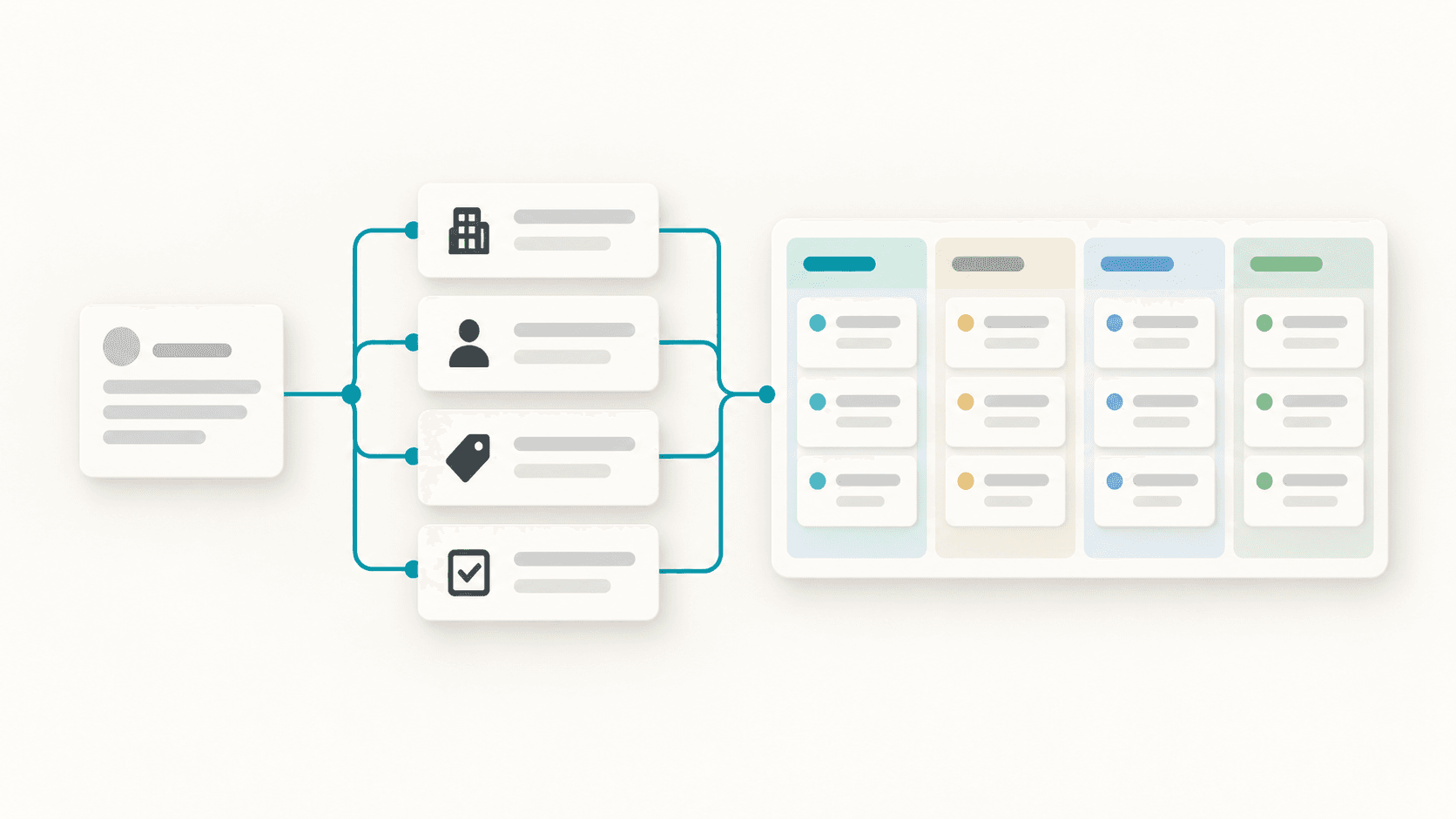
Most small teams do not need a CRM with three hundred settings. They need one place where every contact, company, deal and follow-up lives, shaped around how they actually sell. Raccog builds that from a description: it designs the data model, sets up the storage and generates the app your team signs in to.
A spreadsheet stops working as a CRM the day two people edit it at once and nobody can tell which deal is current. A custom CRM fixes that without forcing your process into somebody else's template.
What Raccog builds when you ask for a CRM
A generic request gets a complete, standard CRM. Four linked tables, each with sensible fields:
| Table | What it holds | Linked to |
|---|---|---|
| Companies | Name, industry, website, size, notes | Contacts, deals |
| Contacts | Name, email, phone, job title, status | A company |
| Deals | Title, stage, value, expected close date | A contact and a company |
| Tasks | Subject, type, status, due date | The work around a deal |
From that data model Raccog generates the app itself:
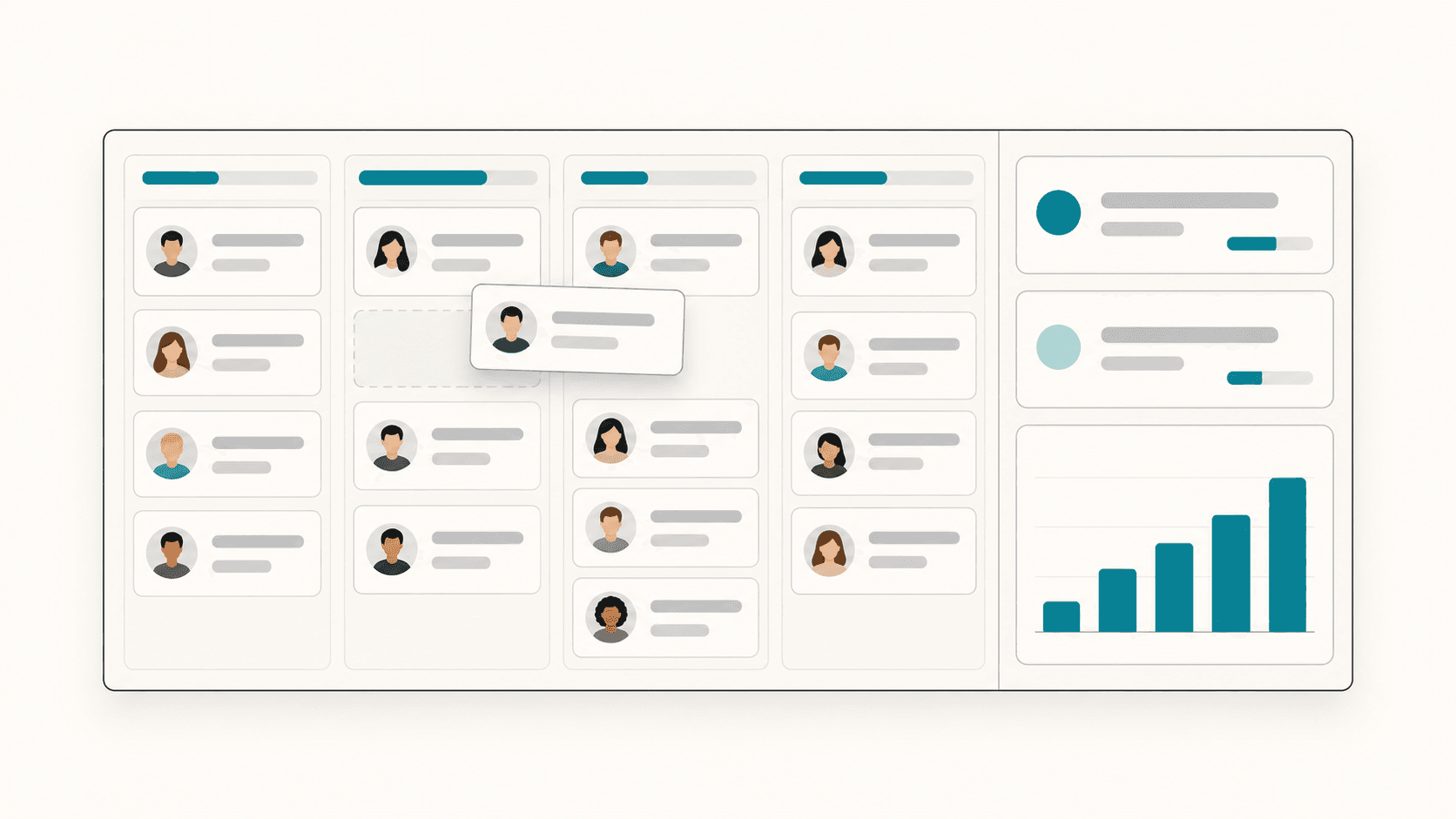
- A record table for every entity, with search and filters.
- A pipeline board that lays deals out by stage, with each column's value summed.
- A dashboard with the pipeline at a glance and recent activity.
- A team sign-in, so only the people you add can open the CRM.
You can start with one sentence:
Build a simple CRM for my business.
Describe your sales process, not a database
The more your brief sounds like your business, the closer the first version lands. Name your industry, what you track and the stages a sale moves through. Raccog keeps the standard structure and adapts names, stages and fields to fit.
Build a CRM for a real estate agency. Track buyers and sellers as contacts, properties with address, asking price and bedrooms, and offers that move through Viewing, Offer made, Under contract and Closed. Show offers as a board and total the offer value on the dashboard.
Four details make the biggest difference:
- The things you track. Properties, candidates, patients, projects — whatever your "deal" really is.
- The stages. The exact steps, in order. These become the columns of your board.
- The number that matters. Deal value, fee, contract size — this is what the dashboard totals.
- The fields you actually fill in. A field nobody updates is noise in every table.
Industry examples
The same approach works across very different businesses:
- Recruiting: candidates, roles and applications moving through interview stages.
- Agency: clients, projects and proposals with a fee and a decision date.
- Clinic or studio: clients, appointments and packages with a status.
If you spell out exact entities, fields or stages, Raccog follows your specification and keeps the standard pieces you did not contradict.
Choose where the CRM data lives
Every CRM needs storage behind it. Raccog asks before it builds, and offers two options:
- Google Sheets — available on every plan. Each table becomes a tab in a spreadsheet you own.
- Your own PostgreSQL database — on paid plans. Paste a connection string and Raccog creates the tables there.
The connection string goes straight into your project's secrets, never into the chat. Read how to connect a database to your website for a fuller comparison.
Change the CRM as your process changes
A CRM is never finished. Ask for changes in the same chat that built it:
Add a "Lead source" select to contacts with Website, Referral, Event and Cold outreach. Show it as a column in the contacts table.
When you change an existing CRM, Raccog keeps every existing table and field unless you explicitly remove or rename it. Your records live in those columns, so additions are safe by default. Removing a field is a decision you make on purpose.
Add your team
Open Database settings → Team to add the people who should use the CRM. Each member signs in with their email and a password of at least eight characters. Changing a member's password, or removing them, ends their existing sessions.
Only add the people who need access. A CRM holds personal information about your customers, and every extra account is another way in.
Test it before real customers go in
Before you import your contacts, run through the CRM with test data:
- Create a company, a contact linked to it and a deal linked to the contact.
- Move the deal across the board and check the column totals update.
- Search for the contact by name and by email.
- Sign in as a team member and confirm they see what they should.
- Check the same records appear in your Google Sheet or database.
A generated CRM is a strong starting point. Like any business software, review it before it handles real customer information.
Common questions
Do I need to know SQL or database design? No. Describe what you track and the stages it moves through. Raccog chooses the tables, fields and relations, and shows you a summary of what it designed.
How many tables can a CRM have? Enough for a focused business app — the standard CRM uses four. Keep it small; you can add tables as you need them.
Can I keep using my spreadsheet? Yes. Choose Google Sheets as storage and your team can work in the CRM while the data stays in a spreadsheet you own.
Can my CRM collect leads from my website? Yes. Combine it with a form and a workflow so enquiries arrive as new contacts. See website form automation.
Is a CRM included on the free plan? A CRM backed by Google Sheets is available on every plan. Connecting your own PostgreSQL database needs a paid plan. See pricing.
Try it on your own brief.
One sentence about the business, and Raccog drafts the whole site.
Read next